
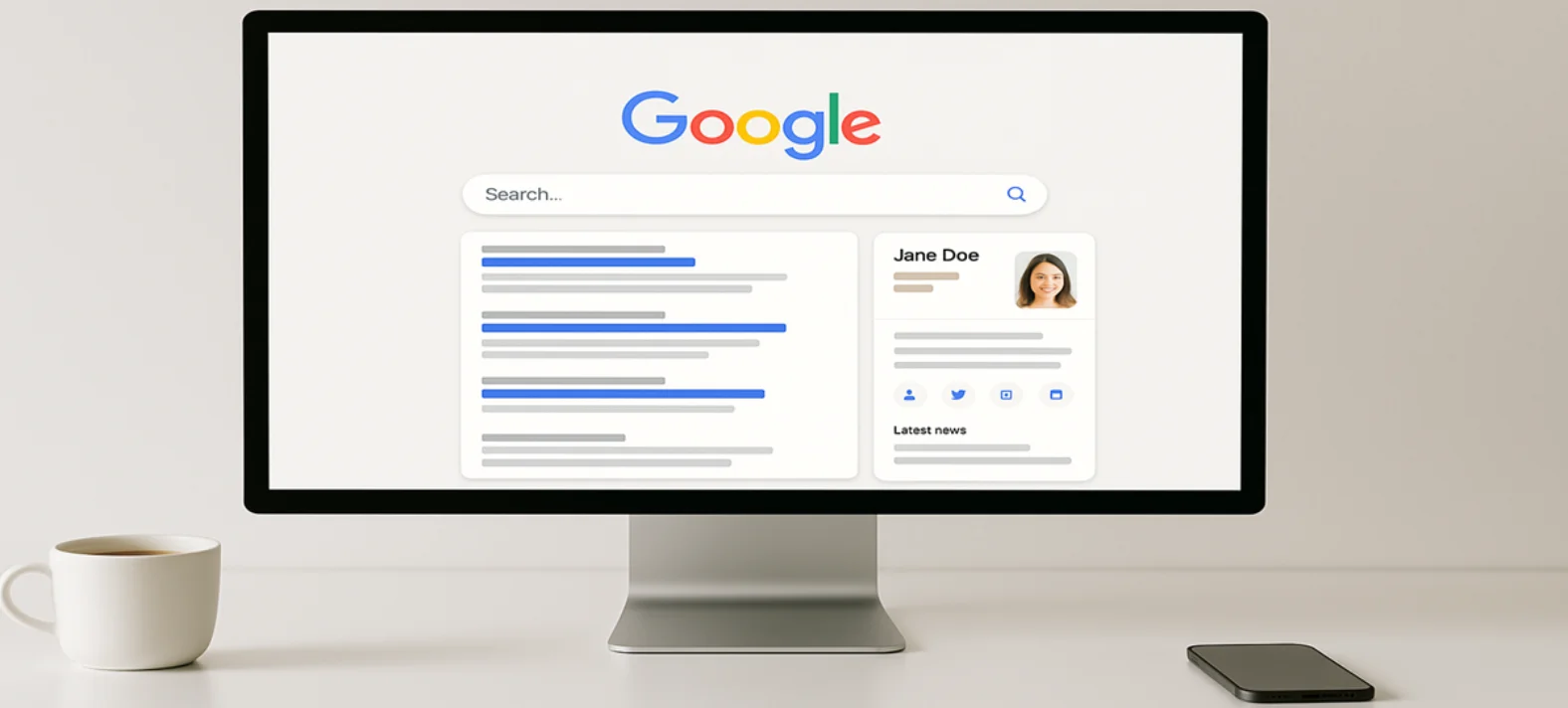
What shows up on the right-hand side of Google search results with all the key facts about a person, business, or brand? That’s a Google Knowledge Panel. It’s more than just a box of information—it’s a way to establish credibility, boost visibility, and make your brand instantly recognizable online.
Consequently, without a knowledge panel, potential clients might encounter scattered or outdated information, which in turn can weaken trust and potentially drive them toward competitors.
Understanding what a Google Knowledge Panel is and how to claim one can give you a major edge in search results.
Therefore, in this article, we’ll walk you through everything you need to know about Google Knowledge Panels, including how they work, how to rank for them, and how you can get one for free
What Is A Google Knowledge Panel?
A Google Knowledge Panel is an information box that appears on Google search results when you search for people, brands, organizations, or places.
Such as, gathers details like names, images, social profiles, websites, and sometimes even reviews, showing them in one convenient spot.
According to RankTracker, panels are powered by Google’s Knowledge Graph and therefore designed to offer a quick snapshot of entity‑related information that Google recognizes.
Specifically, Google pulls this information from reliable sources such as Wikipedia, Wikidata, official websites, and structured data. As a result, knowledge panels help users access the information they need quickly without having to click multiple links.
There are different types of knowledge panels:
- Person – Celebrities, public figures, authors, or professionals.
- Organization/Brand – Companies, nonprofits, or startups.
- Place – Businesses, landmarks, or tourist spots.
On mobile, knowledge panels usually appear at the top of the search results instead of the right-hand side, making them even more visible.

Why Does Having A Google Knowledge Panel Matters?
A Google Knowledge Panel isn’t just a fancy search feature; in fact, it acts as a powerful credibility booster. Therefore, understanding its benefits is essential. Here’s why it matters:
- Builds Trust Instantly – When potential clients or customers see a verified panel with accurate info, they trust your brand more.
- Increases Visibility – Panels appear prominently on search results, sometimes above ads and organic listings.
- Consolidates Information – It displays all important details like hours, website, and social profiles in one place.
- Enhances Brand Authority – Especially for professionals, having a panel signals that Google recognizes your relevance in your field.
For instance, a local marketing consultant or startup looking to establish credibility might struggle to stand out in search results—but a knowledge panel can support a strong marketing strategy for startups.
How Google Creates Knowledge Panels?
In fact, Google doesn’t create knowledge panels randomly. Instead, it carefully pulls information from authoritative sources and structured data online. Specifically, key sources include:
- Wikipedia & Wikidata – Google trusts these as verified, high-authority sources.
- Official Websites – Google scans verified websites for details.
- Structured Data/Schema Markup – Adding schema markup helps Google understand what your site represents.
- Authoritative Mentions – Features in news articles, guest posts, or interviews can boost panel visibility.
According to Jason Barnard’s analysis, while Wikipedia remains a dominant source for many panels, Google also uses reliable sites like LinkedIn, Crunchbase, Bloomberg, and Reuters when available
Google also considers factors like notability, relevance, and search behavior when deciding whether to show a panel. The more credible and consistent your online presence, the higher the chances of getting a panel.
What Are The Steps To Get A Google Knowledge Panel?
Now that you understand how Google Knowledge Panels work, let’s walk through a step-by-step approach to creating and optimizing one.
Step 1: Build A Strong Online Presence
Having a solid online footprint is crucial. Make sure your:
- Website is up-to-date and professional.
- Social media profiles are complete, linked, and optimized—this is especially important for social media for small business, where engagement can boost visibility.
- Business listings across platforms are consistent.
For example, a freelance graphic designer can link their LinkedIn, portfolio site, and Instagram to create a cohesive digital presence.
Step 2: Claim Your Knowledge Panel
Once Google generates a panel for you, claim it. You’ll need a verified Google account and some proof of identity or business ownership.
- Go to the panel and click “Claim this knowledge panel.”
- Verify your identity through Google prompts.
By claiming your panel, you can not only suggest edits but also add or update links, which ensures that the information remains accurate
Step 3: Optimize Your Profiles And Structured Data
Because structured data or schema markup helps Google understand your site, it’s important to ensure that your website and profiles include the following elements:
- Name, address, phone number (NAP) consistency.
- Descriptions of your business or personal brand.
- Links to social media profiles.
This not only increases the likelihood of Google displaying your panel but also improves your overall SEO. Learning How To Do SEO For Website Step-by-Step can help you make these optimizations effectively.
Step 4: Encourage Authoritative Mentions
Google favors sources it considers trustworthy. You can improve visibility by:
- Guest posting on reputable websites.
- Getting featured in interviews, podcasts, or news articles.
- Asking industry partners to link to your content. Strategically choosing guest post placement on high-authority sites signals credibility to Google.
For example, a small law firm mentioned in a respected legal blog is more likely to get a knowledge panel than one without external references.
Step 5: Maintain Your Knowledge Panel
Once you have a panel, don’t ignore it. Keep it updated to reflect:
- New products, services, or business hours.
- Social media changes.
- Updated profile photos or logos.
An outdated knowledge panel can confuse clients and hurt credibility, so regular monitoring is key. Keeping your panel updated is one of the best ways to increase traffic to your website through improved visibility.

How To Rank For Knowledge Panel?
Successfully ranking for a Google Knowledge Panel depends on authority, consistency, and visibility. To achieve this, you should focus on several key actions:
- Verify Your Online Presence – Have your website, LinkedIn, and social profiles fully optimized.
- Get Mentioned On Authoritative Sites – Features in credible blogs or news outlets signal relevance to Google.
- Use Structured Data – Schema markup helps Google understand what your site represents.
- Maintain Accurate NAP – Ensure your name, address, and phone number are consistent across all listings.
- Encourage Engagement – Reviews, social mentions, and shares can indirectly influence visibility.
For instance, an independent consultant who frequently publishes expert articles and is cited on reputable sites is more likely to appear in a knowledge panel than someone with a minimal digital footprint.
Google Knowledge Panel Free: Can You Get It Without Paying?
Yes! A Google Knowledge Panel is free. You don’t need to pay Google to create or claim one—it’s one of the best ways to promote my business online for free while boosting credibility.
However, the process isn’t instant. It may take weeks or months for Google to recognize your authority and display the panel. Consistent, accurate online presence speeds up the process.
Tips To Improve And Maintain Your Knowledge Panel
- Keep all information accurate and updated.
- Use schema markup on your website to help Google understand your content.
- Monitor your panel for changes or errors and report them promptly.
- Ensure NAP consistency across all business listings.
For example, if a restaurant changes its hours but the panel shows old times, it could frustrate potential diners and cost business. Correcting this keeps your panel reliable and helpful.
Common Questions About Google Knowledge Panels
1. Can Anyone Get A Google Knowledge Panel?
Not everyone automatically gets a Google Knowledge Panel. In fact, Google prioritizes people, businesses, or organizations with verifiable credibility and a strong online presence. Nevertheless, even small businesses can eventually qualify if they consistently build authority and maintain accurate profiles.
2. How Long Does It Take For Google To Show A Panel?
It varies. Some entities appear in a few weeks, while others might take months. Factors include online presence, citations, and the existence of authoritative sources like Wikipedia or reputable media mentions.
3. Can I Control What Appears In My Panel?
Claiming your panel allows you to suggest edits, add links, and submit photos. Google reviews the suggestions, so while you can influence content, ultimate control remains with Google.
4. Does A Google Knowledge Panel Improve SEO?
Yes. While it doesn’t directly affect rankings, it enhances your visibility and trustworthiness, which can lead to higher click-through rates and more engagement.
5. Can Small Businesses get A Knowledge Panel?
Yes, in fact, small businesses with a verified online presence, consistent listings, and authoritative mentions can also qualify for a Google Knowledge Panel.
Conclusion
A Google Knowledge Panel is a powerful tool to showcase your brand, business, or personal profile in search results. Moreover, it not only increases credibility but also consolidates your online presence and ultimately improves visibility.
The best part is that you can create a Google Knowledge Panel for free—all it takes is consistent effort, verified profiles, and authoritative mentions.
To get started, build a strong online footprint, claim your panel, and maintain it regularly. In addition, even small steps, like updating your social links or adding schema markup, can have a big impact on how Google displays your brand.

